Your Websites First
His Website And Its Numbers, Right On Top
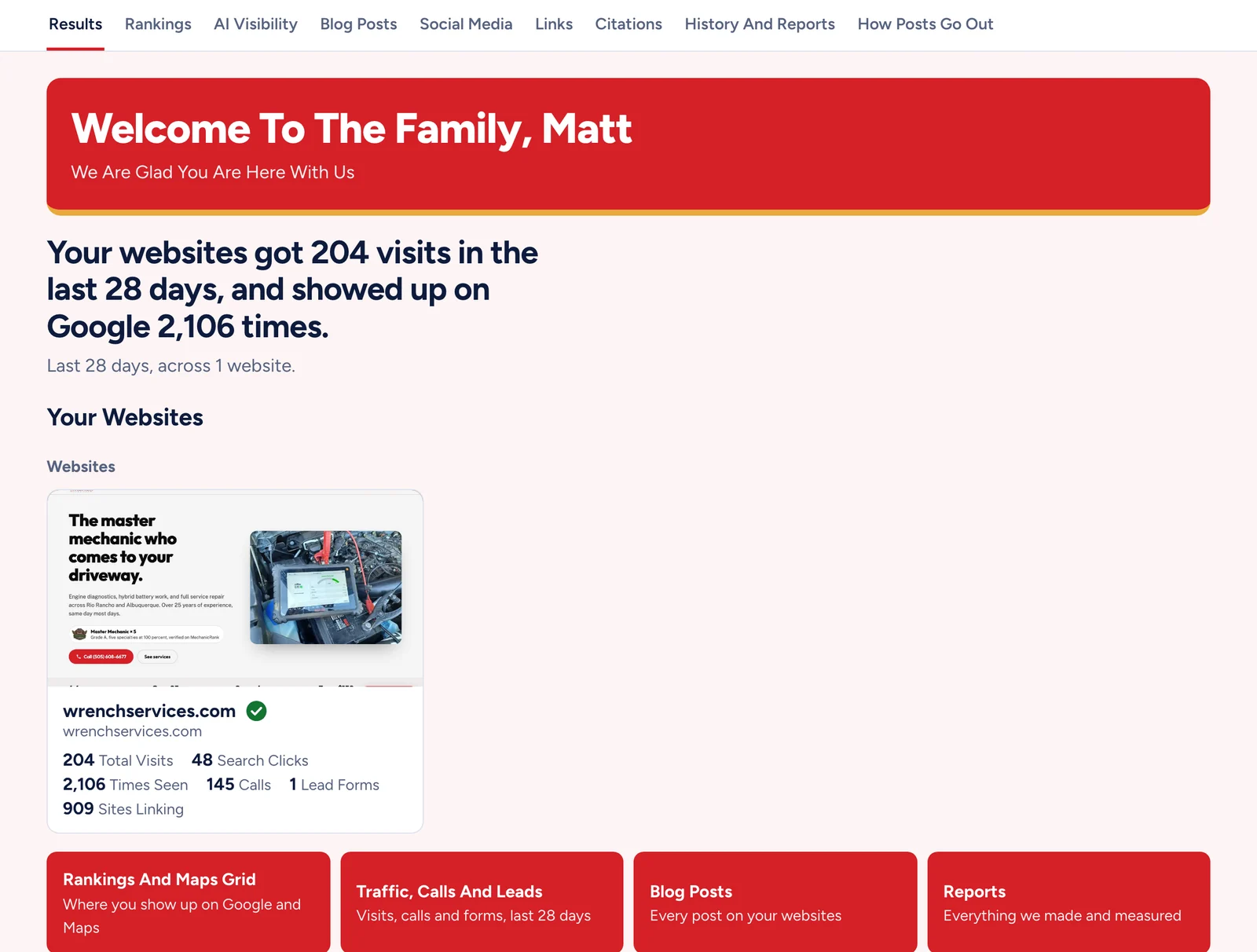
Matt runs Wrench Services out of a van. He does not have time to dig through tabs, so the first thing he sees is his website with the numbers that matter: visits, search clicks, times seen on Google, calls and form leads.
- Four jump buttons go straight to Rankings And Maps Grid, Traffic Calls And Leads, Blog Posts and Reports
- The same page works on a phone and a computer
Your Checklist
A Short List That Grows The Business
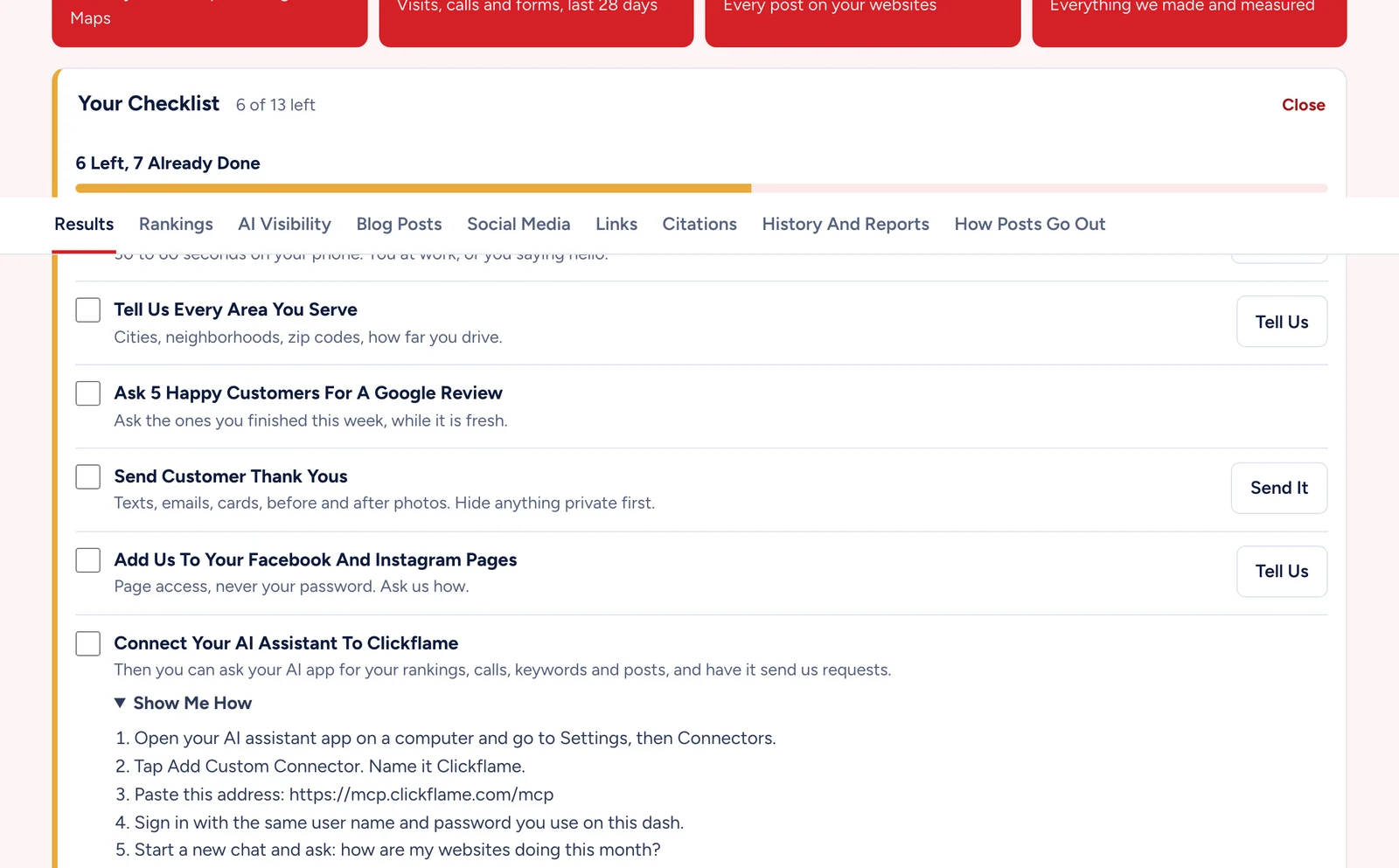
The checklist folds open with a tap. It holds the few things only the owner can do, like sending a short video, asking happy customers for a review and giving us access to Facebook.
- The last step connects the owner's AI assistant to Clickflame, so they can ask for calls, rankings and posts by voice
- Done items fold away under What We Already Have
Traffic, Calls And Leads
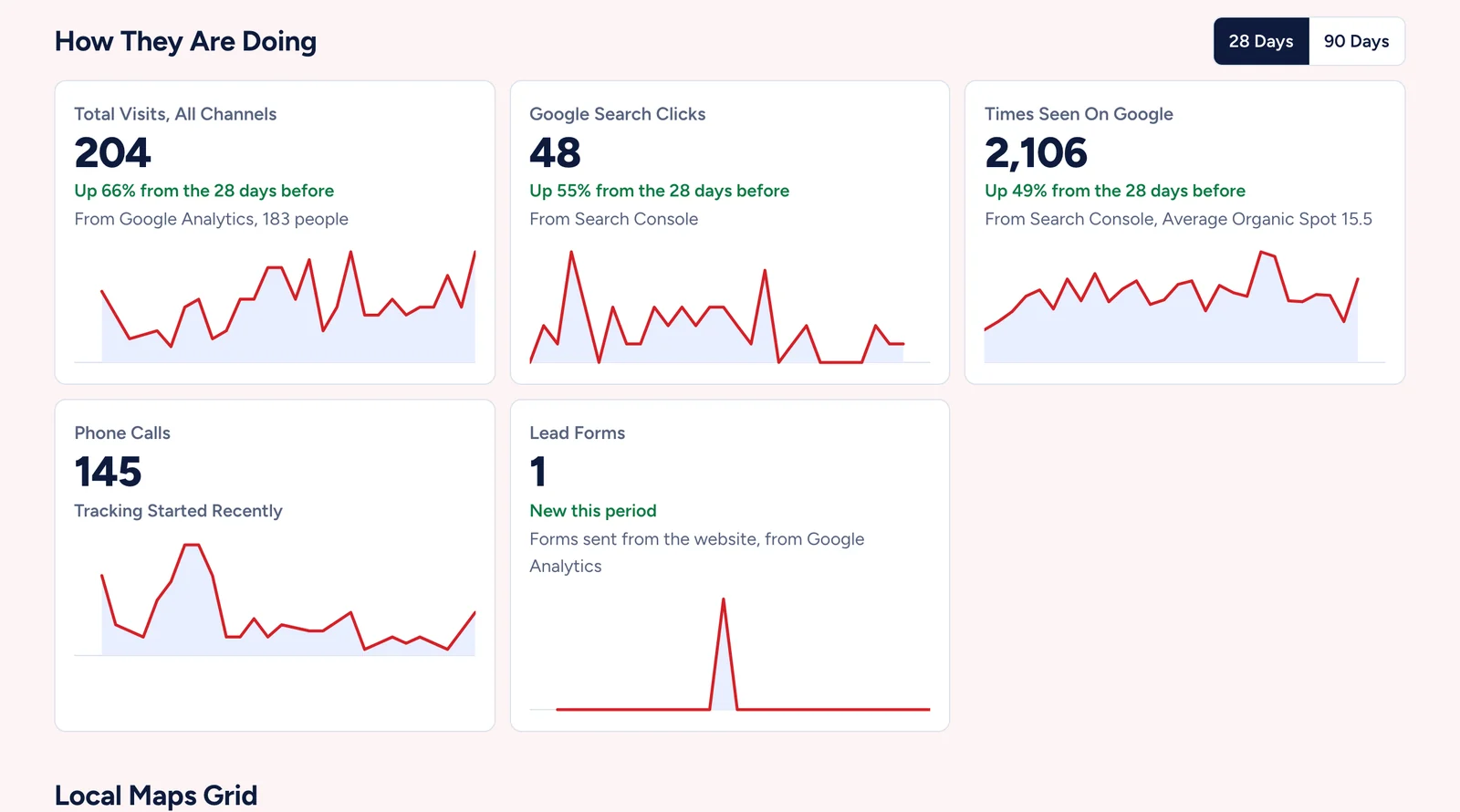
Every Number Says Where It Came From
Visits come from Google Analytics. Search clicks and times seen come from Google Search Console. Calls come from the tracking number on his website and Google profile. Each card says so, and compares the last 28 days with the 28 before.
Rankings Tab
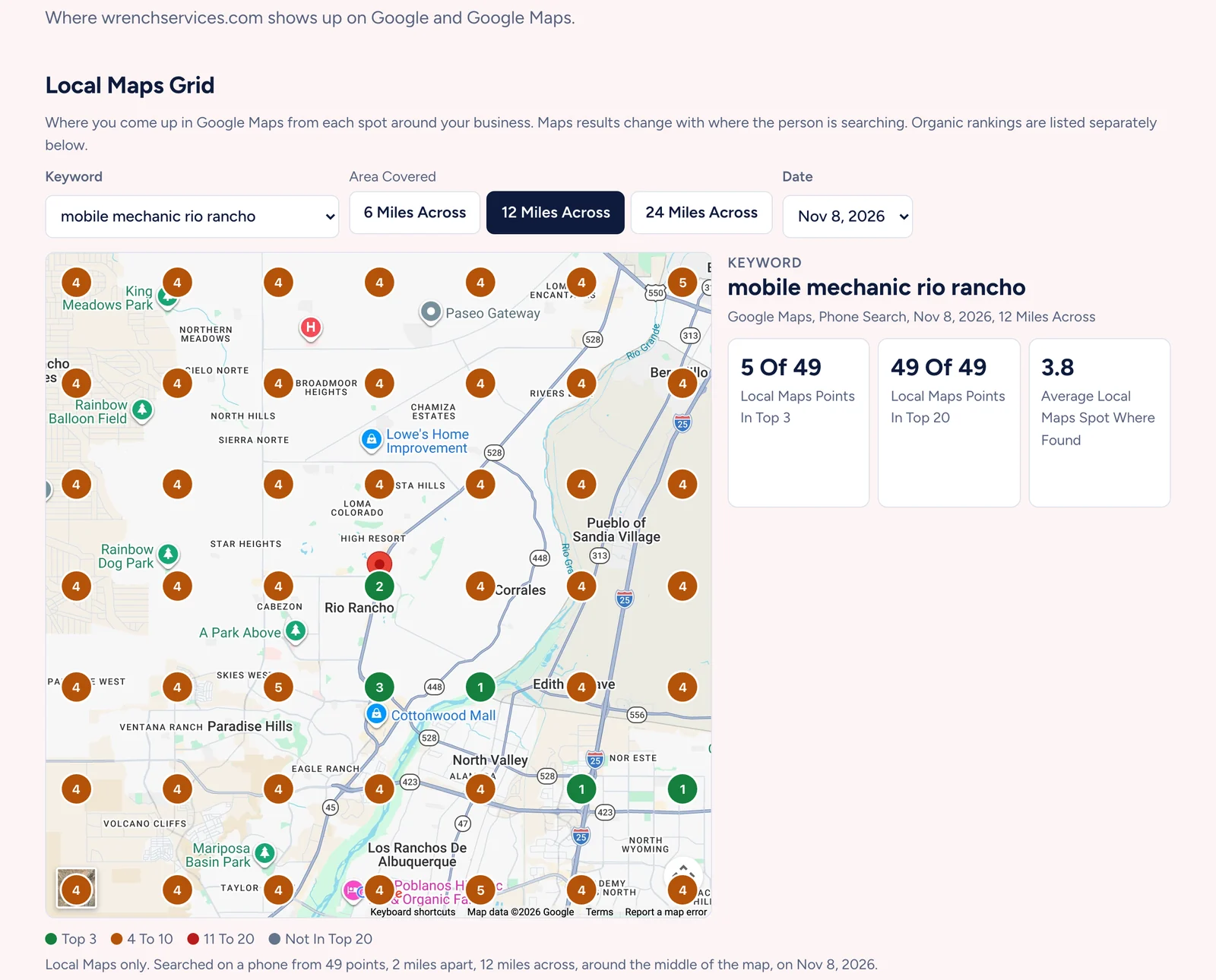
The Local Maps Grid, From 49 Spots Around Town
People see different Google Maps results depending on where they stand, so we search on a phone from 49 points, 2 miles apart, and plot where the business shows up from each one.
For mobile mechanic rio rancho, Wrench Services came up in the top 20 on all 49 points, at an average spot of 3.8.
What People Searched
The Real Searches That Found Him
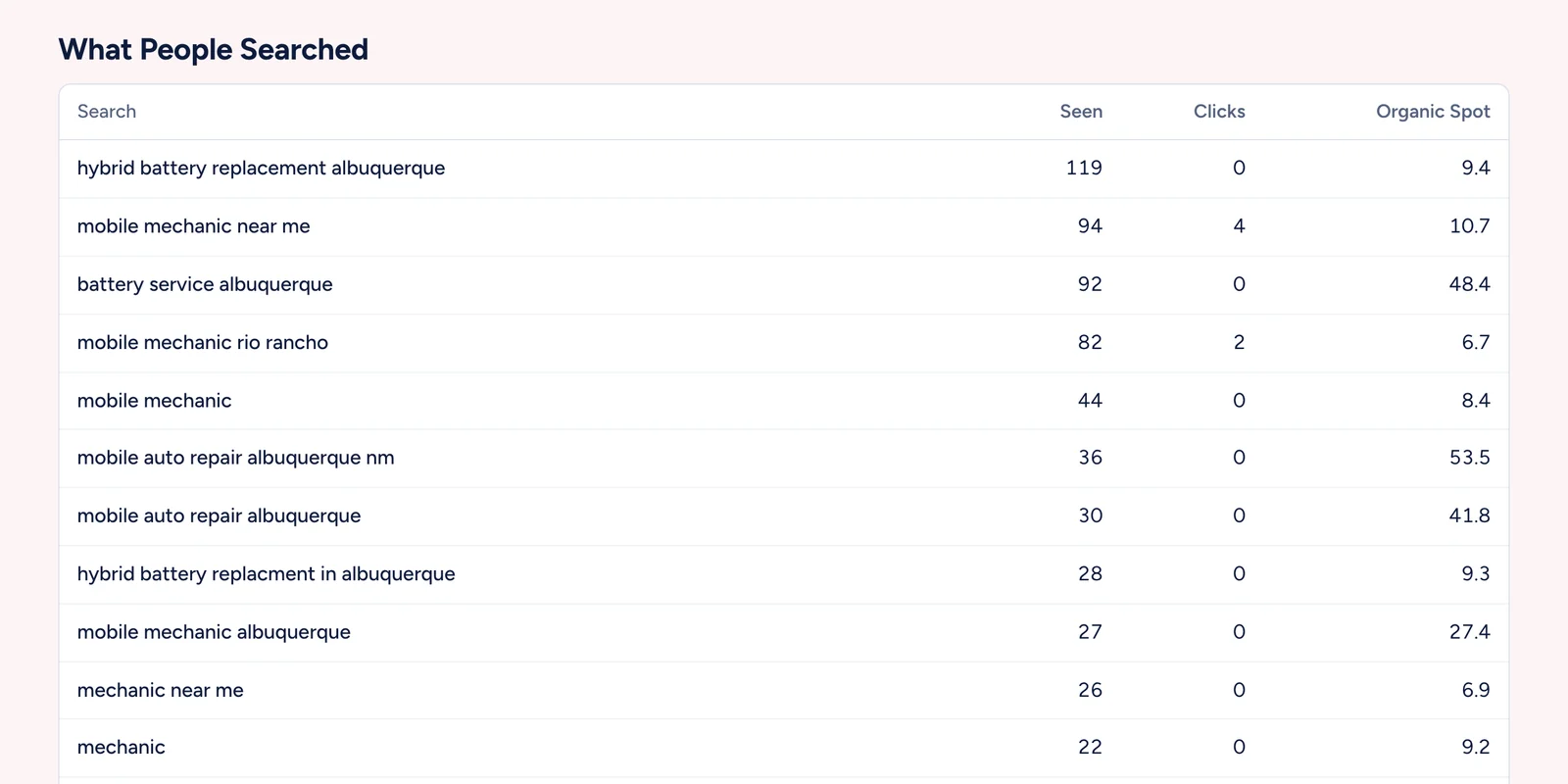
Under the grid sits the list of searches people typed on Google before they saw his site, how often he showed up and where he ranked. It is how we pick the next page or post to write.
Blog Posts
Every Post Live On His Website
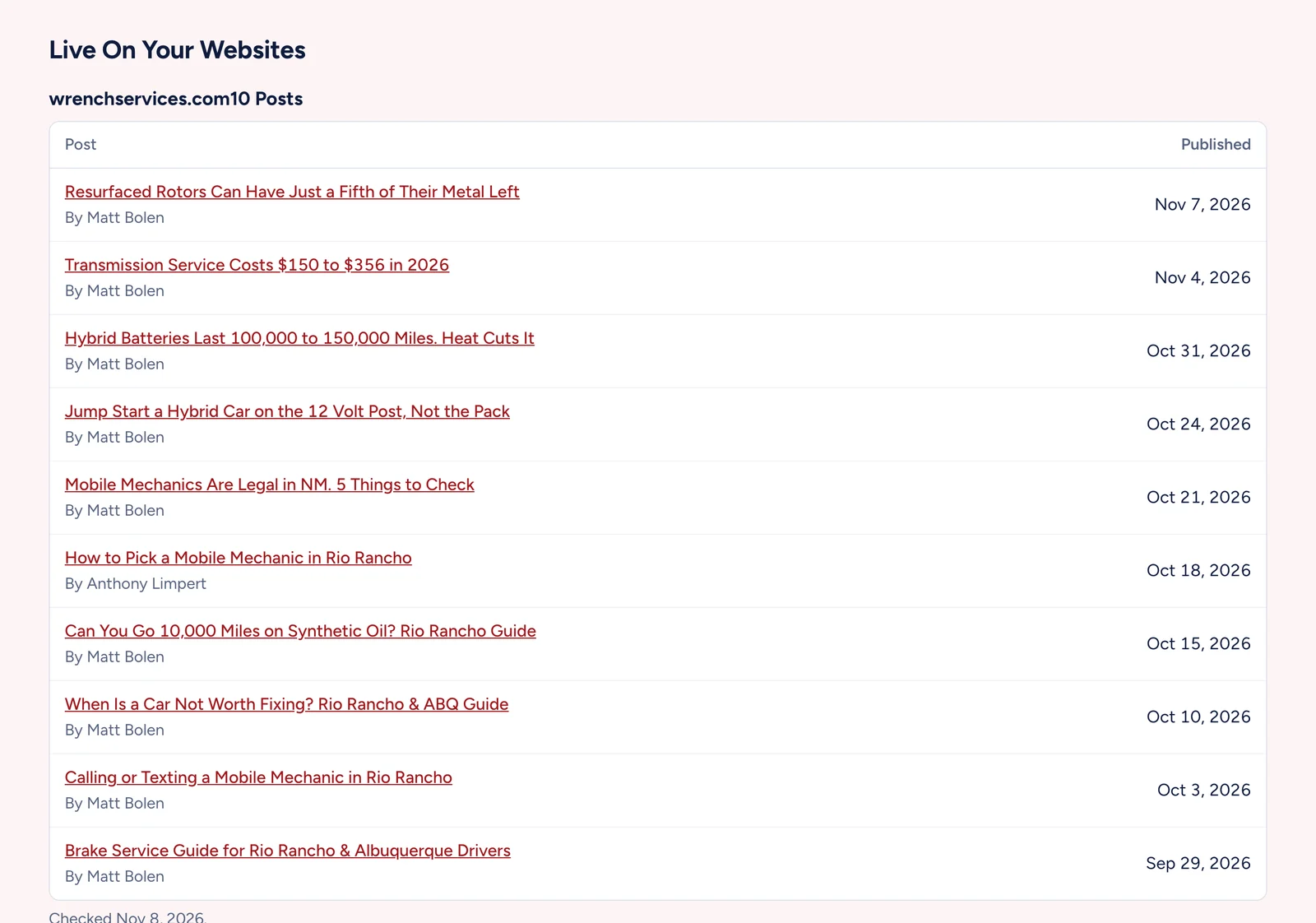
The Blog Posts tab lists every post already published on the client's site, with the date and the byline. Ten so far for Wrench Services, written in Matt's name from his own jobs.
- Ask for a new post with one button
- Guest posts we write on other sites show up here too
History And Reports
Everything We Made And Measured, Month By Month
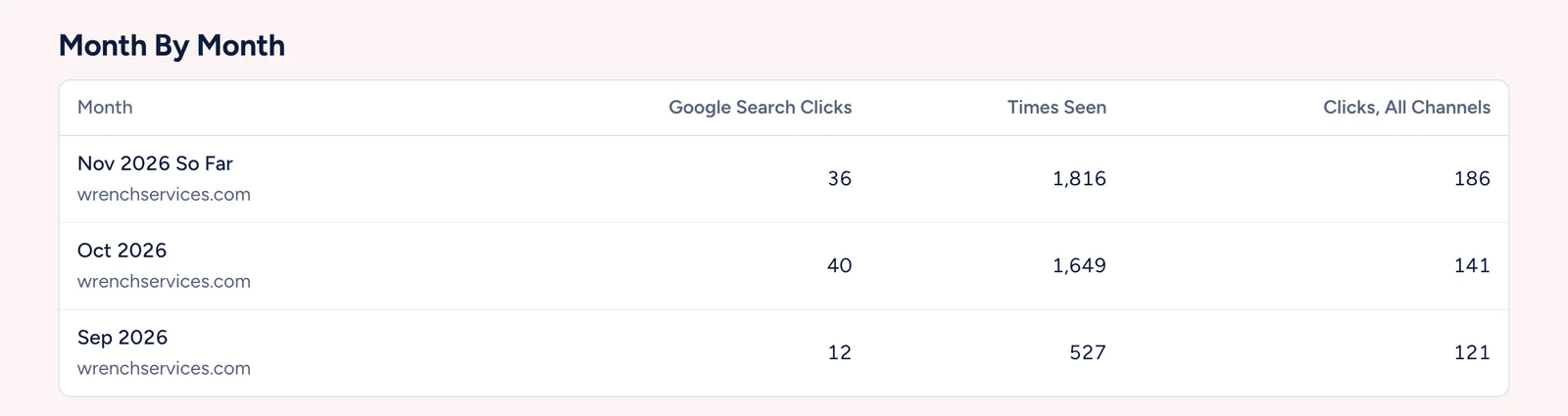
History And Reports keeps every report, every post, the spam links we asked Google to ignore, every tracked search and a month by month view, so nothing gets lost when a month ends.
What Every Client Gets
One Login, No Mystery Reports
Live Numbers
Calls, visits, Google search and form leads, updated daily, with the source named on every card.
Maps And Rankings
Local Maps grids, tracked searches and the real searches people typed, with every past reading kept.
The Work, Listed
Blog posts, listings, links and requests, each with where it stands and our answer on it.
Ask For Anything
Write a blog post, create a social post or report a problem from the dashboard. If something looks wrong, we own it and fix it.
Your AI Assistant
Connect your AI app and ask it for your numbers or send us a request by voice. Steps at clickflame.com/mcp.
On Your Phone
The same dashboard on a phone, so an owner in a driveway or on a roof can check it in 30 seconds.
Questions
Client Reporting Questions
Is this a real client?
Yes. This is Wrench Services, a mobile mechanic in Rio Rancho, New Mexico, run by Matt Bolen. The screens and the video are his dashboard as he sees it, filmed November 26, 2026. We left out his billing and his private messages to us.
Where do the numbers come from?
Visits come from Google Analytics, searches and times seen come from Google Search Console, and calls come from the tracking number on his website and Google profile. Each card on the dashboard says which one it uses.
What is the Local Maps grid?
We search Google Maps on a phone from 49 spots around the business, 2 miles apart, and plot where the business shows up from each one. People see different map results depending on where they stand, so one search from the shop does not tell the whole story.
How often does the dashboard update?
Calls and visits update every day. Google search numbers run about three days behind, because that is when Google releases them. Map grids and tracked searches are checked on a schedule and every past reading is kept.
Can I ask my AI assistant for my numbers?
Yes. The last step on every checklist connects your AI assistant to your Clickflame account. Then you can ask it for your calls, rankings, keywords and posts, or have it send us a request. The steps are at clickflame.com/mcp.
Do I get this if I work with you?
Every client gets their own login to this dashboard. Call us or book a strategy call and we will show you what yours would track.
Talk About Your Business
Name, number and the company. A real person reads it and replies, usually the same day.
Want a Dashboard Like Matt's?
Every client gets their own login. We will show you what yours would track.